


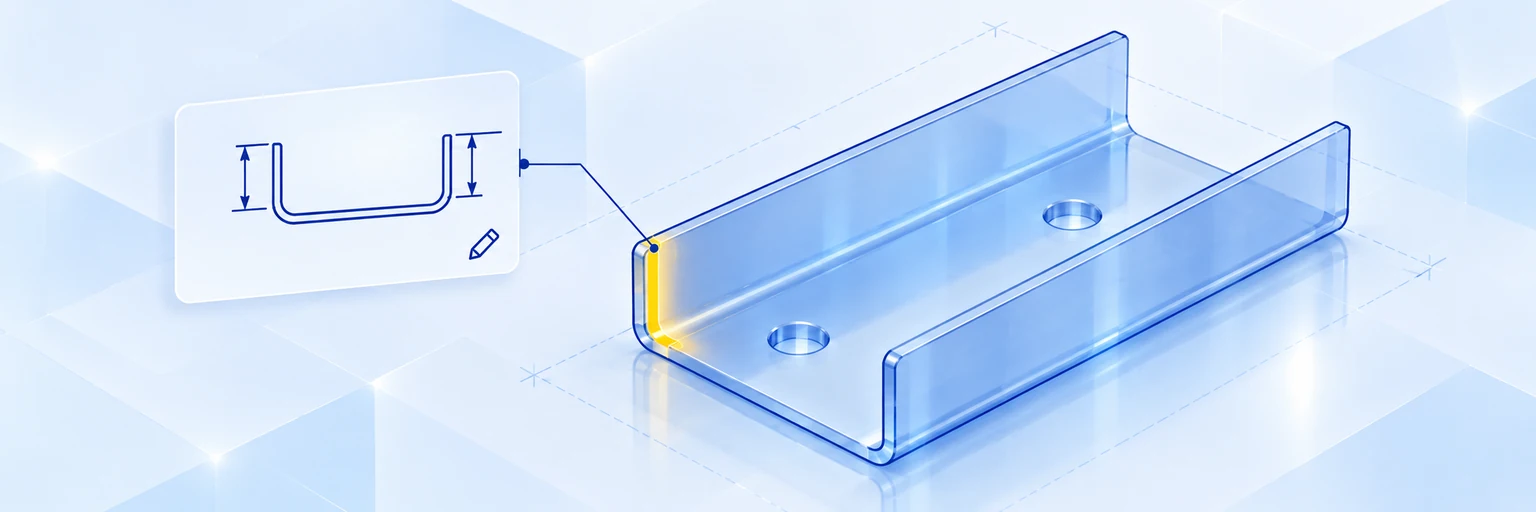
A good sheet metal design guide starts with the drawing. Precise, well-structured sheet metal drawings tell the manufacturer exactly which dimensions, tolerances, materials and edge conditions matter, and they prevent costly errors, rework and delays in production.
This guide covers the essentials: how sheet metal is fabricated, which design rules make parts manufacturable, which symbols you will find on a sheet metal drawing, and how to solve the most common fabrication problems — from springback to deformed holes near bends.
What is sheet metal?
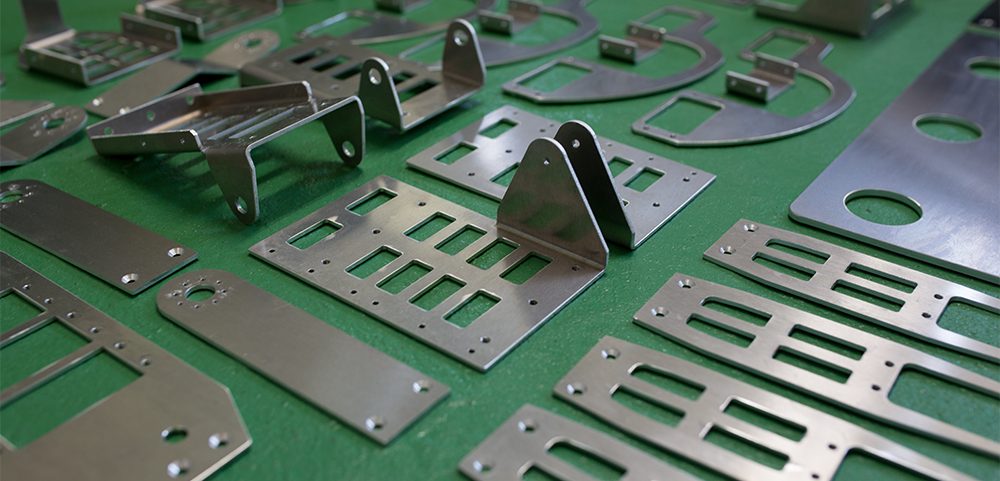
Sheet metal is metal formed into thin, flat sheets — typically from a fraction of a millimetre to several millimetres thick. Common sheet metal materials are steel (also galvanised or zinc-plated), stainless steel and aluminium. Because sheet metal is versatile, durable and easy to process, it is used for automotive parts, industrial machinery, electronics enclosures, construction and aerospace components.
What is sheet metal fabrication?
Sheet metal fabrication turns flat sheets into finished components through cutting, forming and joining. The most important processes are laser cutting, punching, press brake bending and welding. Modern CNC-controlled machines make it possible to produce custom parts with precise dimensions and complex geometries quickly and cost-effectively — from simple brackets to multi-part welded assemblies.
Where the drawing fits in the sheet metal fabrication process
A sheet metal part usually passes through five stages, and the drawing is the reference for all of them:
- Conceptual design: the function and basic shape of the part are defined, for example a protective cover, a structural frame or an airflow guide.
- CAD modelling: the part is modelled in 3D CAD. Material, sheet thickness and final shape are fixed, and 2D drawings are derived from the 3D model.
- Quotation and manufacturability review: the manufacturer checks whether the part can be produced as drawn. Tolerances, shapes, cost or lead time may need adjusting — choosing a material in stock, for example, shortens delivery.
- Fabrication: the part is cut, bent and, if required, welded and finished.
- Inspection and delivery: the part is measured against the drawing, complex shapes with 3D measuring equipment. Parts within tolerance are released for delivery.
Sheet metal design guide: rules for manufacturable parts
Most problems in sheet metal fabrication start in the design. The following rules of thumb keep parts manufacturable and avoid deformation. The example values are meviy's limits for 2.0 mm steel with standard press brake bending; t stands for the sheet thickness.
| Design feature | Rule of thumb | Example: 2.0 mm steel |
|---|---|---|
| Sheet thickness | Uniform across the whole part | 2.0 mm everywhere |
| Inner bend radius | Approx. 1 × t | Approx. 2.0 mm |
| Minimum flange height | Approx. 4 × t | 8.2 mm |
| Hole to bend (no deformation) | Approx. 4 × t | 8.0 mm |
| Hole to edge, hole to hole | At least 1 × t | 2.0 mm |
| Bend angle tolerance | ±1° | ±1.0° |
Other materials, thicknesses and special bending tools have slightly different limits. In general: the thicker the sheet, the larger the distances you need to plan for.
What a good sheet metal drawing includes
Dimensions and tolerances are essential, but several other details decide whether a sheet metal drawing is clear and easy to manufacture from:
- Title block: part number, part name, material, sheet thickness, surface treatment and general tolerance class. Formats vary by company, but this information should always be there.
- Reference dimensions (datums): clear reference points make measuring consistent and easy, even on complex geometries.
- Dimensions in the front view: place as many dimensions as possible in one view instead of spreading them across several projections. This makes the drawing much easier to read.
- Burr and edge condition: cutting and punching create burrs. State whether burrs must be removed and which edge condition is acceptable.
- Feasible tolerances: only specify tolerances the process can actually achieve (see the table below). Tighter tolerances than necessary drive up cost.
- Bend deformation: material bulges slightly at the bend — by up to about 15% of the sheet thickness on each side. Allow for this where parts sit close to adjacent components, especially on L-shaped bends.
Typical tolerances for sheet metal parts
Linear tolerances depend on the nominal length and on whether the dimension runs across a bend. Dimensions on one flat face are more accurate than dimensions across a bend. The values below are meviy's general tolerances for sheet thicknesses up to 6.0 mm (based on JIS B 0408, grade B):
| Nominal length | Same face (no bend) | Across a bend |
|---|---|---|
| Up to 6 mm | ±0.1 mm | ±0.3 mm |
| Over 6 to 30 mm | ±0.2 mm | ±0.5 mm |
| Over 30 to 120 mm | ±0.3 mm | ±0.8 mm |
| Over 120 to 400 mm | ±0.5 mm | ±1.2 mm |
| Over 400 to 1,000 mm | ±0.8 mm | ±2.0 mm |
If a part needs tighter tolerances or an exact fit, consider machining the critical feature after bending or adjusting the design so the important dimension sits on one face.
Common symbols in sheet metal drawings
Sheet metal drawings use a small set of standard symbols. Here is an overview:
| Symbol | Meaning | Example |
|---|---|---|
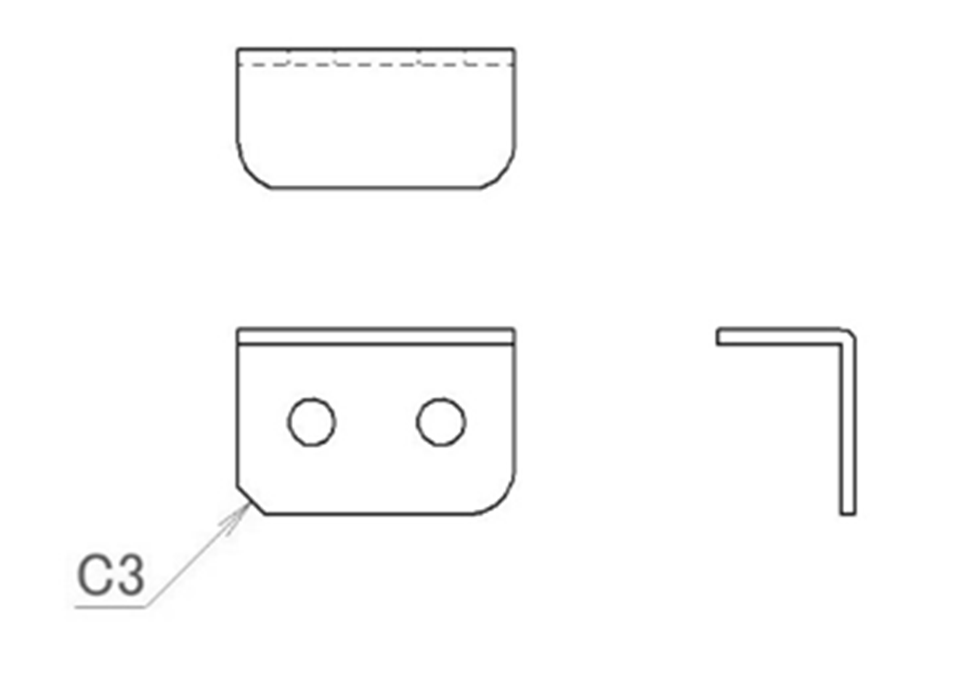
| C | Chamfer (45°) of the stated size | C3 = 3 mm chamfer |
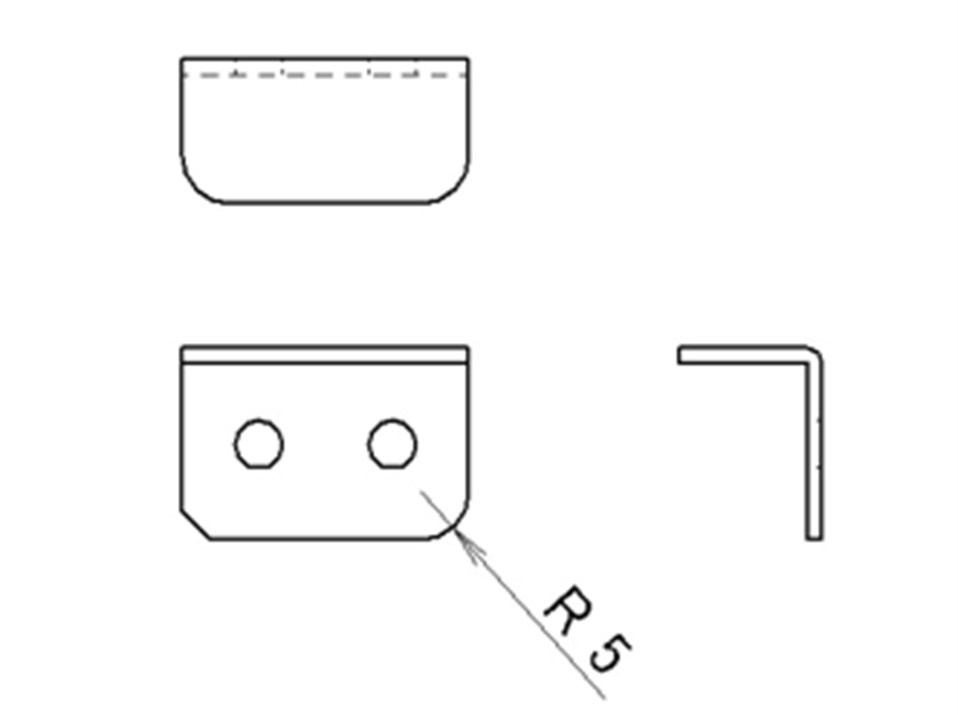
| R | Radius or fillet | R5 = 5 mm radius |
| Ø | Diameter of a hole or round feature | Ø5 = 5 mm hole |
| Edge symbol (ISO 13715) | Required edge condition: burr allowed or burr-free | −0.1 = burr-free, edge removed up to 0.1 mm |
| Datum (A, B, C) | Reference feature for positioning and measuring | Triangle with letter A |
| Geometric tolerance | Permitted deviation of form, orientation or position | Position tolerance ⌖ 0.6 A B C |
Chamfer (C)
Chamfers break sharp edges and corners for safety and easier assembly. The notation “C3” specifies a 45° chamfer of 3 mm.
Radius and fillet (R)
Rounded corners reduce the risk of injury and improve the appearance of the part. The notation “R5” indicates a radius of 5 mm. Learn more about rounded corners in our guide to corner radius.
Edge symbols
Edge symbols according to ISO 13715 define the required edge condition. A negative value means the edge must be burr-free and material may be removed up to the stated depth, for example “−0.1” or a range such as “−0.05 to −1”. A positive value allows a burr up to that height. Without an edge symbol, the general edge condition from the title block applies.
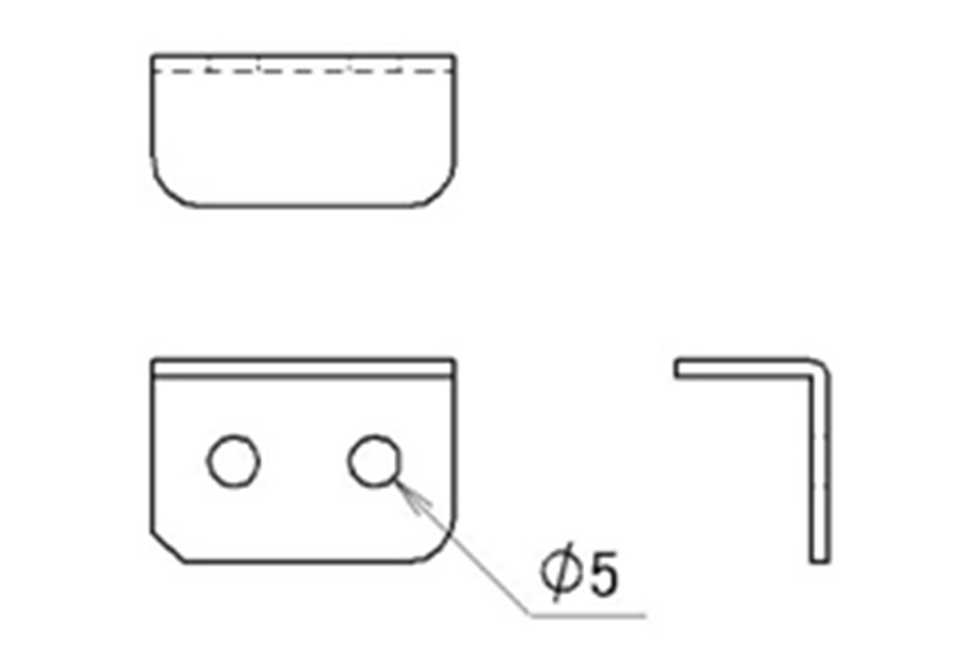
Diameter (Ø)
The Ø symbol marks the diameter of holes and round features, such as fastening holes, pilot holes and weight-reduction cut-outs.
Datums
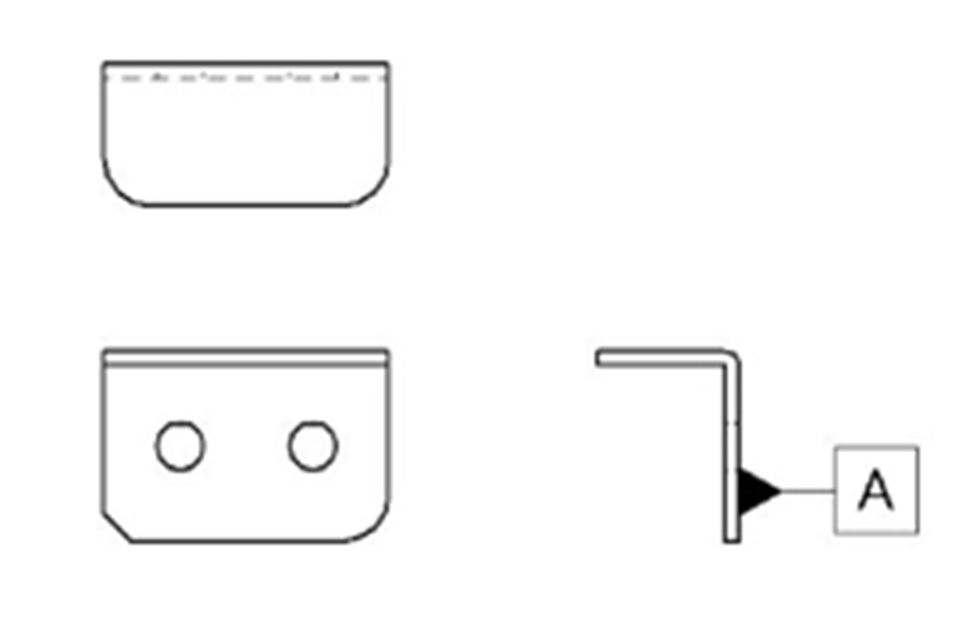
Datums are reference features — faces, edges or holes — from which other features are positioned and measured, both during fabrication and inspection. They are shown as a filled triangle with a letter in a box.
Geometric tolerances
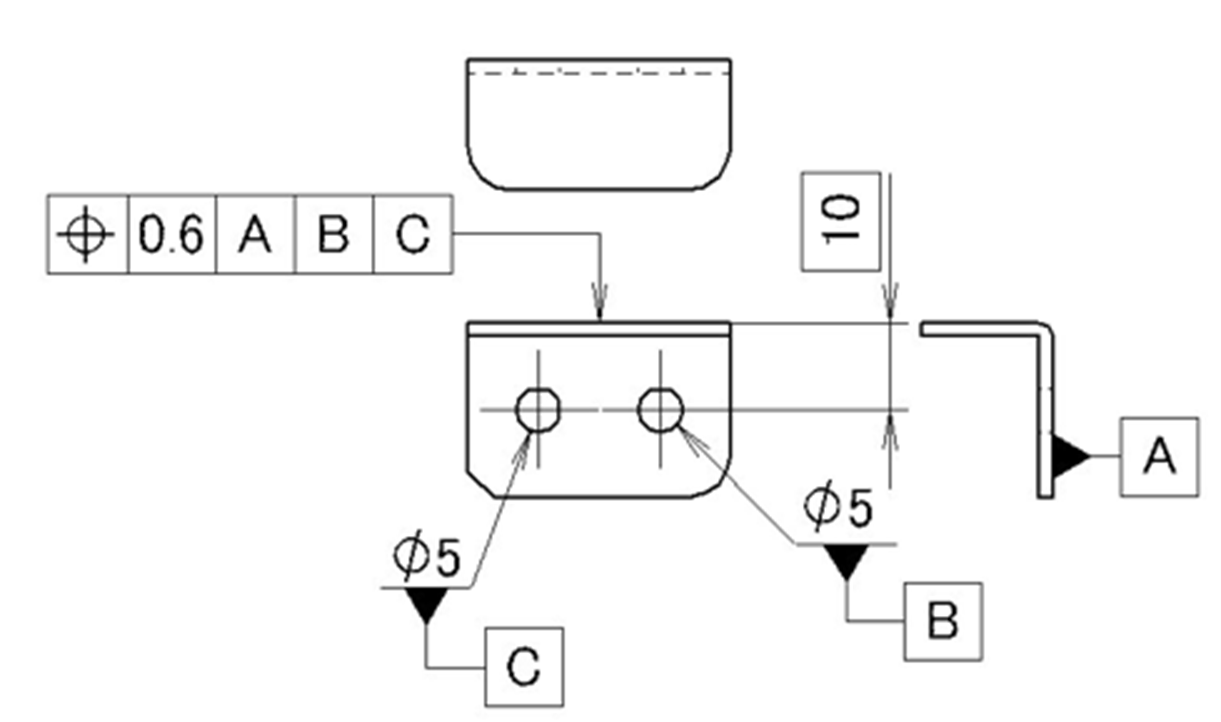
Geometric tolerances define how far the form, orientation or position of a feature may deviate. Two are relevant for sheet metal:
- Position tolerance: defines the exact location of holes relative to the datums. It is used for critical hole patterns but is rarely needed on simple sheet metal parts.
- Perpendicularity tolerance: can describe the accuracy of a bend. In practice, an angle tolerance (for example ±1°) is usually specified instead.
Common sheet metal fabrication issues and solutions
Springback in bending
Springback occurs when a bent sheet opens up slightly after the punch is released, because part of the deformation is elastic. The bend angle then ends up larger than intended. Higher-strength materials such as stainless steel spring back more than mild steel. Common countermeasures:
- Overbending: the sheet is bent slightly past the target angle so that it springs back to the correct angle.
- Bottoming and coining: the punch presses the sheet fully into the die, or coins the bend zone with high force, so the material deforms plastically and springs back less.
- Two-stage bending: the part is pre-bent and then bent again to the final angle.
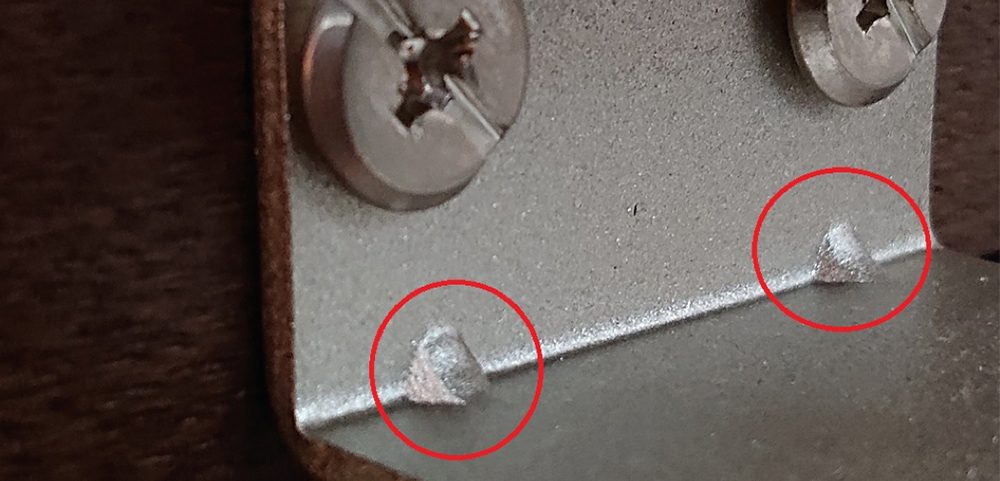
- Stiffening ribs: small triangular ribs pressed into the bend lock the angle and make the bracket stiffer.
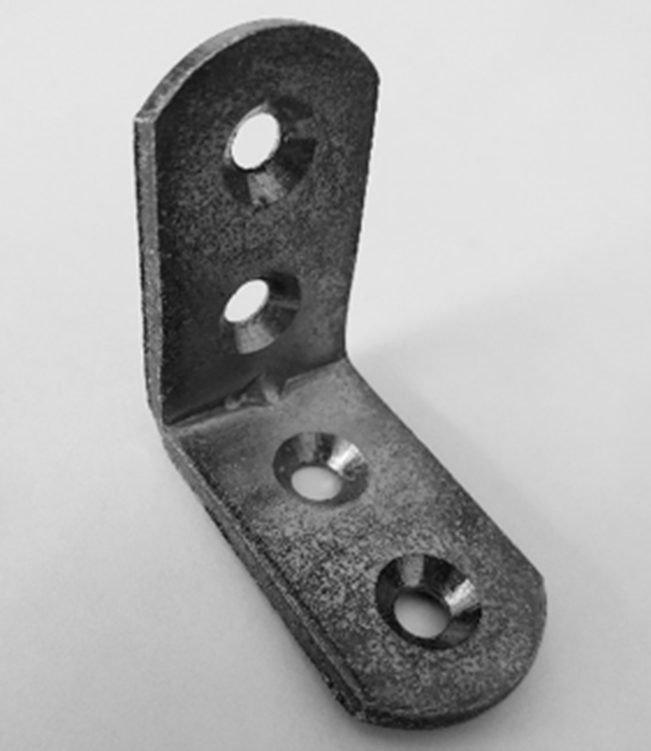
The photo below shows such ribs in the bend of an installed bracket. For more ways to make brackets more rigid, read our guide on how to strengthen sheet metal.
Hole deformation near bends
Holes placed too close to a bend line are pulled out of shape during bending. To prevent this:
- Keep a distance of about four times the sheet thickness between the hole edge and the bend.
- If space is limited, add a relief cut along the bend line or have the holes made after bending — keeping in mind that an extra operation increases cost.
Interference in the flat pattern
A 3D model can look correct while the unfolded flat pattern contains overlapping flanges or cut-outs that collide. Always check the flat pattern for interference before releasing the design.
Insufficient thread depth in thin sheet
A thread cut directly into thin sheet has only a few turns of engagement and can strip or loosen. Better options:
- Extruded (burring) tapped holes: the material around the hole is formed into a collar, which increases the thread length.
- Press-fit nuts: self-clinching nuts are pressed into the sheet and provide a full-length, wear-resistant thread.
- Weld nuts: welded on for high loads.
Do you still need a 2D drawing? Custom sheet metal parts with meviy
With meviy, you can order custom sheet metal parts directly from your 3D CAD model — no 2D drawing required. Upload the model and meviy automatically recognises holes, tapped holes, countersinks, extruded tapped holes and bends, checks manufacturability against its design rules and shows the price and lead time within seconds.
- Individually designed parts from your own CAD data — not catalogue or standard parts.
- Laser cutting, punching, bending and welding of steel, galvanised steel, stainless steel and aluminium.
- General tolerances as shown above; holes and threads can be edited in the 3D viewer.
- Options such as edge breaking, press-fit nuts, powder coating and plating.
Typical parts include brackets, covers, enclosures, mounting plates and frames for sheet metal fabrication projects of any batch size. If you only have a 2D drawing, meviy can still provide a quote on request.
Frequently asked questions about sheet metal design
What should a sheet metal drawing include?
A sheet metal drawing should include a title block with part number, material, sheet thickness, surface treatment and general tolerance class, clear datums, all dimensions with feasible tolerances, the required edge condition and bend information such as direction, angle and inner radius.
What is the minimum distance between a hole and a bend?
As a rule of thumb, keep about four times the sheet thickness between the hole and the bend. For 2.0 mm steel, that is about 8 mm. Closer holes are often still possible, but they may deform during bending.
What tolerances are realistic for sheet metal parts?
For dimensions on one flat face, ±0.1 to ±0.5 mm is typical depending on length. Dimensions across a bend have wider tolerances, for example ±0.3 to ±1.2 mm, and bend angles are usually held to about ±1°.
What does C3 or R5 mean on a drawing?
C3 specifies a 45° chamfer of 3 mm on an edge or corner. R5 specifies a radius of 5 mm. Both are used to break sharp edges and corners.
How can springback be prevented in sheet metal bending?
Springback is compensated by overbending, by bottoming or coining the bend, by two-stage bending or by adding stiffening ribs in the bend. Manufacturers also adjust their bending parameters to the material, because harder materials spring back more.
Conclusion: good drawings make better sheet metal parts
Following a sheet metal design guide pays off: uniform thickness, sufficient distances between holes, edges and bends, feasible tolerances and a clear drawing with the right symbols make parts easier to manufacture, more accurate and less expensive. Address typical issues such as springback, hole deformation and thin threads early in the design — and the parts that arrive will match what you designed.